

A More Comfortable Way to Work in Kion
Cloud management often means long sessions spent analyzing data, reviewing reports, and navigating complex environments. Over time, even small usability improvements can make a meaningful difference in how teams work.
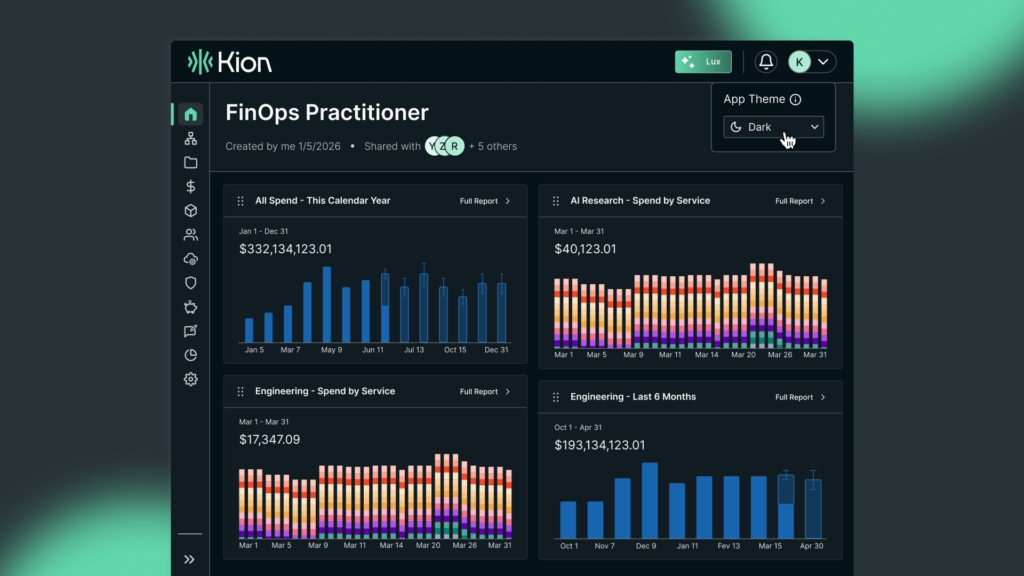
With Kion v3.15, Dark Mode introduces a new, optional display setting designed to improve comfort and accessibility, giving users more control over how they experience the platform.
What Is Dark Mode?
Dark Mode allows users to switch the Kion interface from the standard light theme to a darker color scheme.
This setting:
- Can be enabled or disabled at any time
- Is controlled directly by each user
- Affects visual appearance only
All functionality, workflows, permissions, and platform behavior remain unchanged.
Key Benefits to Your Cloud Experience
- Reduced eye strain during extended use
- Improved comfort in low-light environments
- Flexible user preference, with easy on/off control
- Consistent functionality, regardless of theme
Dark Mode gives users the ability to tailor the platform to their individual working environment without impacting how Kion operates.
Why Dark Mode Matters
While Dark Mode does not change how Kion functions, it plays an important role in usability, accessibility, and long-term adoption.
Different users have different preferences:
- Some work in low-light environments
- Some prefer reduced brightness
- Some require visual adjustments for accessibility
By introducing Dark Mode, Kion provides a more flexible and inclusive experience, allowing users to interact with the platform in a way that works best for them.
These improvements may seem small, but they can have a meaningful impact on daily workflows, especially for users who spend significant time in the FinOps+ platform.
A More Personalized Kion Experience
Dark Mode reflects Kion’s broader FinOps+ approach to improving the platform experience not just through new capabilities, but through thoughtful usability enhancements.
By giving users more control over how they interact with the platform, Kion helps teams stay comfortable, focused, and productive throughout their day.
Dark Mode is currently available in beta as part of the Kion v3.15 release. User feedback will help guide continued improvements.
To learn more about what’s new in Kion v3.15, explore the full release.
Frequently Asked Questions About Dark Mode
What is Dark Mode in Kion?
Dark Mode is an optional visual theme that changes the interface to a darker color scheme without affecting functionality or behavior.
How do users enable Dark Mode?
Users can toggle Dark Mode on or off at any time from the user account menu.
Does Dark Mode change how Kion works?
No. Dark Mode only changes the visual appearance of the platform. All features, permissions, and workflows remain the same.
Is Dark Mode fully released?
Dark Mode is currently available in beta as of Kion v3.15, and some areas may continue to be refined.
Should all users use Dark Mode?
Dark Mode is optional. Users who prefer maximum visual clarity may choose to continue using Light Mode while Dark Mode remains in beta.
How can users provide feedback?
Users are encouraged to submit feedback or report visual issues through a Kion support request.
Will this work with my current Kion environment?
Yes. Dark Mode is available as part of the Kion v3.15 release.