

Short answer: Forecast AI token spend from the bottom up. Measure usage by workload, model, and team; price input, output, and cached tokens separately; then project monthly consumption based on expected adoption and product changes. Use those projections to build an annual AI token budget, set notification thresholds, and review forecasts versus actual spend at least monthly.
Last month’s AI bill is a starting point. But it cannot tell you what happens when a team launches a new agent, changes models, or doubles the context sent with every request.
A useful LLM cost forecast makes those assumptions visible. It gives finance a planning baseline, gives engineering a way to explain changes, and gives budget owners time to act before AI spend exceeds expectations.
Here’s how to build one.
Why AI spend is harder to forecast than cloud spend
Cloud forecasts often start with a resource baseline: what is running, how much capacity is provisioned, and what changes are planned. AI token forecasts need another layer: how people and applications use the models.
Several variables can change the cost of the same feature:
- Prompt and context length. Longer instructions, conversation histories, and retrieved documents increase input tokens.
- Response length. More detailed answers increase output tokens, which may carry a different rate.
- Model and provider choice. Moving a workload to another model changes its pricing and may change token consumption.
- Agent behavior. One task can trigger multiple model calls, retries, and follow-up steps.
- Cache utilization. Changes in cached usage affect how much input is billed at each rate.
Cloud spend can vary, too. The difference is that a token forecast must account for request behavior as well as infrastructure and capacity.
For the infrastructure side, our cloud cost forecasting page covers the basics.
Step 1: Get usage by model and team
Start with an inventory of AI workloads. For each workload, identify its owner, provider, model, and recent usage.
Your baseline should include:
- The team or project responsible for the workload.
- Monthly token volume, separated by billable token type.
- Actual spend and the effective rates paid.
- Request or task volume, where available, to help explain changes.
Keep enough detail to distinguish adoption growth from changes in consumption. More users and longer responses can both increase spend, but they require different forecasting assumptions.
If some usage has no clear owner, make that gap visible and assign responsibility for resolving it. You can estimate unattributed spend, but team budgets become more useful when ownership is established. For that foundation, see how to allocate shared AI costs across teams.
Step 2: Price input, output and cached tokens separately
A blended token rate can hide the reason a forecast changes. A workload that starts producing longer answers may cost more even when request volume stays the same.
Calculate each workload’s monthly token cost using its model’s applicable rates:
Monthly token cost per workload =
(uncached input tokens × uncached input rate)
+ (output tokens × output rate)
+ (cache-read tokens × cache-read rate)
+ (cache-write tokens × cache-write rate, if separately billed)
Each rate must use the same unit as its token count. If the provider quotes a price per million tokens, divide the corresponding token count by 1,000,000 before multiplying.
Keep the token categories mutually exclusive. Do not count cached input again as uncached input, and follow the provider’s billing definitions for cache reads and writes.
Use your effective rates after applicable discounts. Account for minimum commitments separately so a discounted usage estimate does not understate the amount you are obligated to pay. Add separately billed services or fees outside the token subtotal.
Validate rates when building the forecast and whenever pricing, contracts, or model selection changes.
Step 3: Add the variables that move the number
Once you have a baseline, work with workload owners to estimate what will change each month. A flat growth percentage rarely captures a new launch, an agent rollout, or a planned model migration.
| Variable | How to include it in the forecast |
| Adoption and growth | Estimate launch dates, active users, and usage frequency. Build low, expected, and high cases. |
| Retries and re-asks | Include billed repeat requests. If they are already in the baseline, adjust only for expected changes. |
| Cache utilization | Use measured cache behavior and account for changes that could affect reuse. |
| Model changes | Recalculate affected workloads using the new model’s rates and expected token consumption. |
| Agent use | Estimate tasks, calls per task, and tokens per call. Include expected retries and additional steps. |
For a feature that has not launched, start with expected users, sessions per user, and calls per session. Use representative test requests to estimate input and output tokens per call.
Document the assumptions behind each scenario. When actual spend changes, those assumptions give you somewhere to start investigating.
Step 4: Match each workload to its cost model
The FinOps Foundation describes three broad deployment options: third-party closed-source services, third-party hosted open-source services, and systems you operate in the cloud yourself. Each has different forecasting considerations.
For the calculation, follow how the workload is billed:
- Token-based usage: Forecast billable tokens by model and token type.
- Provisioned throughput or capacity: Forecast purchased capacity, commitment duration, and expected utilization.
- Infrastructure you operate: Forecast GPU or accelerator hours, supporting infrastructure, and utilization.
Deployment type alone does not determine the billing unit. Check the contract and service configuration before choosing the method.
Provisioned capacity needs particular attention: lower usage may leave you paying for capacity you are not using. The FinOps Foundation recommends benchmarking throughput against representative workloads when estimating these requirements.
Step 5: Set the annual budget, then add guardrails
Build the annual AI token budget by adding the expected monthly forecasts across workloads. Account for launch timing and adoption ramps rather than multiplying the latest month by 12.
Use the high case to discuss contingency with finance. Then establish monthly budgets for the teams or projects responsible for the spend.
Before the first notification goes out, agree on three things:
- Who receives it and investigates the change.
- Who can approve a budget increase.
- What action is appropriate if spend reaches the limit.
For example, an alert at 80% of a monthly budget can prompt the owner to review remaining demand. Choose thresholds that give your team enough time to respond, and define any enforcement separately. An alert needs an owner and an agreed next step.
Putting the forecast to work in Kion
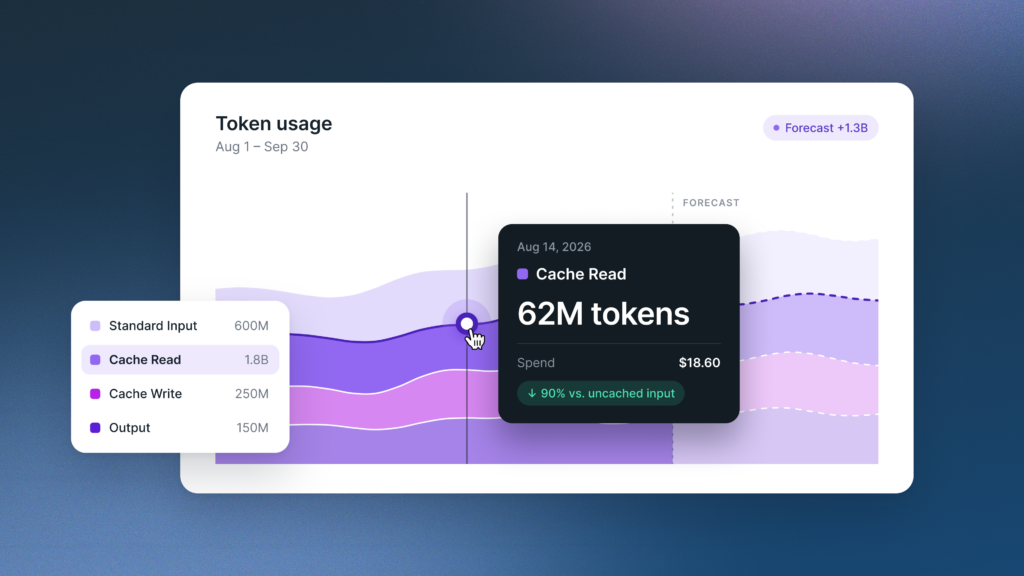
Kion brings AI cost visibility, forecasting, and budgeting into the same platform. Teams can analyze token costs by model, provider, input vs output, and cache status. Scopes group and allocate costs to teams, projects, and departments, while budget thresholds notify stakeholders as spend approaches defined limits.
Kion’s direct Anthropic integration (and forthcoming OpenAI) also brings AI provider spend alongside AWS, Azure, GCP, and OCI costs. That gives budget owners a shared financial view as AI adoption grows.
The forecast becomes more useful when the people responsible for the spend can see their budget, understand changes, and act on notifications.
Step 6: Compare forecast to actuals every month
Review forecast versus actual spend at least monthly. Use a weekly cadence for workloads with rapid adoption, frequent releases, or changing models.
The FinOps Foundation recommends a weekly or monthly rolling forecasting cadence and identifies monthly forecasts within 5% of actuals as a success measure. Treat that as an improvement target, with expectations that reflect the maturity and variability of your workloads.
When actuals diverge from the forecast, identify what changed:
- Did adoption grow faster than expected?
- Did input context or output length increase?
- Did an agent make more calls per task?
- Did cache utilization fall?
- Did the workload move to a different model or rate?
Update the assumption behind the variance, then recalculate the remaining months. Keep the approved budget visible alongside the revised forecast so owners can see whether they need to adjust usage or request additional funding.
Common mistakes when forecasting AI token spend
- Using one dollar estimate for all AI. It hides differences between workloads, models, and billing methods.
- Using list prices instead of effective rates. It disconnects the forecast from what the organization pays.
- Ignoring output tokens or counting cached input twice. Both distort the calculation.
- Adding retries that are already in the baseline. It overstates projected usage.
- Setting thresholds without assigning owners. Notifications only help when someone responds.
- Forecasting once a year. Assumptions need to change as adoption and workloads change.
Put your AI forecast to work
A useful forecast gives teams a clear view of expected spend and the assumptions behind it. Connecting that forecast to budgets, ownership, and notifications helps them respond as those assumptions change.
Explore FinOps for AI with Kion to see how AI cost visibility and financial guardrails come together. For the broader operating approach, read the full AI token spend framework.
FAQs
How do you forecast AI spend?
Build a monthly forecast for each workload using expected usage and effective rates. For token-based services, price uncached input, output, and applicable cache usage separately. Account for adoption, retries, agent calls, and model changes, then combine the monthly forecasts into an annual budget. Set notification thresholds and compare forecasts with actual spend at least monthly.
What data do I need before I can forecast token spend?
Start with token counts by workload, model, team, and month, separated into uncached input, output, and applicable cache categories. Add effective rates, commitments, and planned launches or model changes. Request and task counts help explain consumption patterns.
How is a token forecast different from a cloud forecast?
A token forecasts model requests, input and output length, model pricing, caching, and agent behavior. An infrastructure cloud forecasts model resources, capacity, utilization, and commitments. Organizations using both need to combine those forecasts without double counting costs.
How do I forecast a feature that has not launched?
Estimate active users, sessions per user, and model calls per session. Use representative tests to measure input and output tokens per call, then apply the relevant rates. Build low, expected, and high scenarios for adoption and consumption.
What should an AI budget include besides the forecast?
Include monthly spending limits by team or project, notification thresholds, responsible owners, an approval process for increases, and a review date. Specify any contingency and what action should follow when a threshold is reached.
How often should I update the forecast?
Update it at least monthly. Review weekly for fast-growing workloads or frequent model and workflow changes. Re-forecast after material launches, pricing changes, or unexpected shifts in consumption.