See the Right Cloud and AI Insights Without Searching for Them
There is no shortage in the amount of cloud and AI data available to teams, but getting the right view for your role often requires jumping between reports, pages, and tools.
Finance teams need visibility into spend and cost drivers.
Security teams need compliance and policy insights.
Engineering teams need cloud access and insight into system health.
Yet too often, everyone is forced into the same experience.
With Kion v3.15, Flexible Dashboards introduce a better way to surface cloud insights that brings the right data, in the right format, to the right people.
What Are Flexible Dashboards?
Flexible Dashboards provide a centralized, customizable view of key metrics, reports, and system activity within Kion.
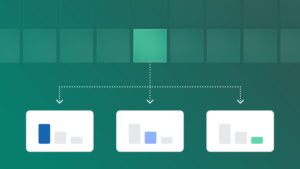
Users can create one or multiple dashboards, each tailored to a specific role, workflow, or use case. These dashboards bring together saved reports, widgets, and system insights into a single, curated experience that eliminates the need to navigate across multiple areas of the platform.
Dashboards can be:
- Personal, for individual workflows
- Shared, to align teams around common views
- Pinned, to keep important information easily accessible
This allows teams to move from searching for information to acting on it.
Key Benefits to Your Cloud Estate (and Beyond)
- Role-based visibility across finance, operations, security, and engineering
- Multiple dashboards per user, tailored to different workflows
- Faster setup with pre-built templates for common roles
- Permission-aware sharing across users and teams
- Pinned dashboards for quick access and onboarding
- Centralized access to metrics, reports, and activity
Why Flexible Dashboards Matter
Modern cloud and AI environments generate a wide range of data, but visibility is only useful if it’s accessible and actionable.
Without flexible dashboards:
- Teams spend time navigating instead of analyzing
- Important insights are buried across reports
- New users face a steep learning curve
Flexible Dashboards shift the experience from navigation-heavy to insight-driven.
By allowing each team to define how they view and interact with data, organizations can:
- Improve decision-making speed
- Reduce friction across workflows
- Ensure the right insights are always visible
The result is a more efficient and approachable platform experience without changing underlying permissions, workflows, or governance.
Built for How Teams Actually Work
Different roles require different perspectives.
Flexible Dashboards support this by offering templates designed for common use cases, including:
- FinOps and AI practitioners, focused on spend and cost drivers
- CloudOps managers, monitoring activity and system health
- Compliance auditors, tracking policy enforcement and risk
- Cloud engineers, managing access and operational workflows
Each dashboard can be further customized with widgets such as spend summaries, saved reports, activity feeds, compliance views, notifications, and more.
This flexibility ensures that dashboards reflect how teams actually work rather than a one-size-fits-all view.
Dashboards for FinOps Practitioners
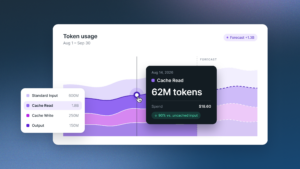
With customizable widgets for spend reporting and forecasting that can be dimensioned by service, service category, account, region, department, cost center, and more, dashboards enable FinOps practitioners to spend less time digging through data and more time acting.
View spend at daily or monthly granularity, drill into service-level details in a single click, see at-a-glance spend trends, and keep forecasts alongside actuals, all in one place. Once configured, it’s a repeatable workflow that saves practitioners time every time they log into Kion.
Surface the Right Insights at the Right Time
Flexible Dashboards extend Kion’s FinOps+ approach by making cloud and AI data more accessible, actionable, and aligned to each role.
By bringing key insights into a single, customizable view, teams can spend less time navigating and more time making decisions.
To learn more about Flexible Dashboards and what’s new in Kion v3.15, explore the full release.
Frequently Asked Questions
What are Dashboards in Kion?
Dashboards are customizable views that display key metrics, reports, and system activity in one place, helping users quickly monitor and access important information.
Can users create multiple dashboards?
Yes. Users can create unlimited dashboards, each tailored to a specific role, team, or workflow.
Can dashboards be shared with others?
Yes. Dashboards can be shared with users or groups, and all data visibility is governed by existing permissions.
What types of widgets are available?
Widgets include spend summaries, saved reports, activity feeds, compliance overviews, notifications, Cloud Access, CloudPulse, and more.
Can dashboards be pinned?
Yes. Users can pin dashboards for quick access, and admins can pin dashboards for others to ensure key views are always visible.
Do dashboards change permissions or workflows?
No. Dashboards surface existing data and insights but do not modify permissions, governance, or workflows.
Will this work with my current Kion environment?
Yes. Flexible Dashboards are available as part of the Kion v3.15 release.