Kion v3.16 is a release built around a simple premise: knowing about a problem and doing something about it are two very different things. This release closes that gap. We’re introducing Automation Policies, a dedicated framework for defining and enforcing cloud actions at scale. We’re also adding a native Anthropic integration that brings AI token spend directly into Kion instead of relying on Kion’s Custom Provider option. Lastly, we’ve expanded granularity in Spend Reports with SKU Meter support, giving teams the billing-level detail that actually shows up on your invoice.
Automation Policies: A Dedicated Home for Cloud Action
What’s New
Kion v3.16 introduces Automation Policies, a new capability that gives cloud operations and FinOps teams a dedicated place to define, manage, and apply automated actions across their cloud environments.
High-Level Overview
If you’ve used Kion’s compliance features for a while, you may have noticed something awkward: a lot of what people actually want to automate has nothing to do with compliance. Tagging resources, scheduling compute shutdowns, cleaning up orphaned assets — these are operational hygiene tasks, not audit findings. Cramming them into a compliance workflow created confusion about what compliance scores meant and made it harder to find and manage these policies over time.
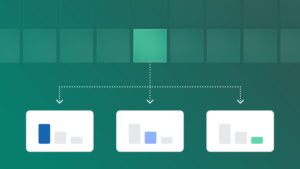
Automation Policies fix that. They’re cloud custodian policies with their own dedicated space in the platform, their own labeling, and their own application logic completely separate from compliance standards and scores. You create an Automation Policy, attach it to accounts or cloud rules in your hierarchy, and let it run. No compliance score noise. No hunting through your compliance feature to find a policy that was never really about compliance in the first place.

Kion v3.16 ships with a set of out-of-the-box policies built around the most common, highest-value use cases:
Auto-Tag Resources: Pre-configured policy to tag all supported resources using custom variables. Tags provide spend visibility in shared accounts and identify ownership for both humans and automation downstream.
Scheduled Lights On/Lights Off: Schedule compute and database resources to power down during off-hours and back up when needed. For teams running non-production environments, this is often the single fastest path to real cost reduction. Define multiple policies for flexibility, and use the default to get started quickly.
Orphaned Resource Deletion: Automatically remove resources that are older than a specified number of days and are unattached or unused. This covers things like Elastic IPs, abandoned load balancers, and idle compute instances. The resources that generate charges while doing nothing. No manual savings opportunity review required. It just happens.
Why It Matters
Automation Policies matter because enforcement is where FinOps and cloud governance actually intersect. Knowing you have orphaned resources is useful. Automatically deleting them is valuable. The gap between awareness and action has always been a friction point, and for a long time the answer was “write a script, set up a Lambda, hope it keeps running.” Automation Policies give you a platform-native way to close that gap, governed by the same hierarchy and permissions structure you already have in Kion.
And this is Phase 1. The foundation we’re building here is the pre-requisite for the multi-tiered workflow capabilities we want to build next: notifications, approvals, and more complex policy logic tied to the events that actually matter to your organization.
Direct Anthropic Integration: Native AI Spend Visibility
What’s New
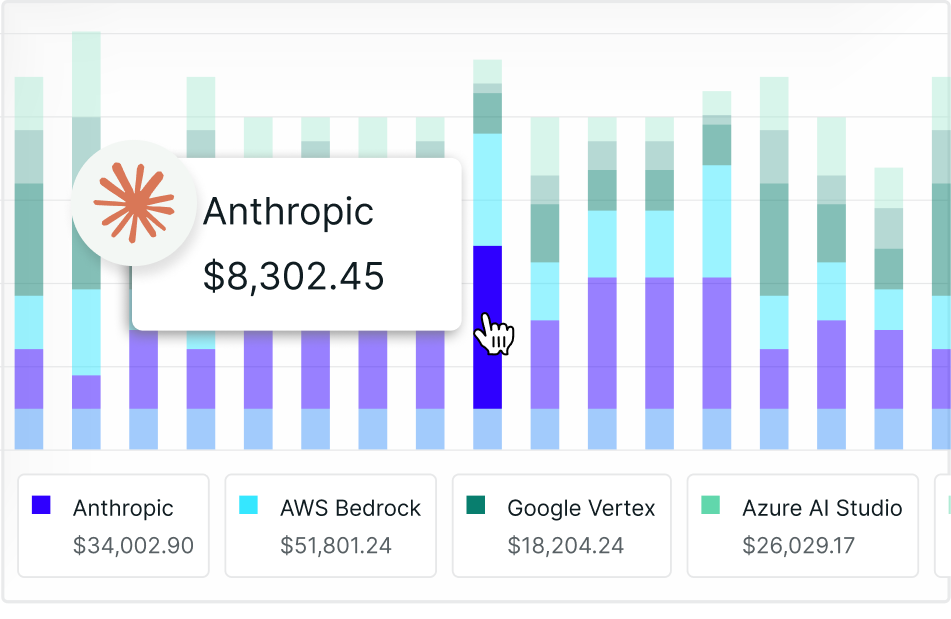
Kion now supports a native integration with Anthropic as a direct billing source. Connect your Anthropic premium license to Kion and pull AI token spend into the same financial management layer you use for AWS, Azure, GCP, and OCI today.
High-Level Overview
Some context on where we’re coming from: Anthropic token spend has been visible in Kion for a while already, for customers ingesting it through a FOCUS converter via their cloud provider bill. That path works, but it’s indirect. The data arrives on whatever cadence your cloud provider exports it, it flows through a conversion layer, and by the time it lands in Kion it’s often days old.
This integration is different. You connect your Anthropic organization directly to Kion using an Admin API key, and spend flows in natively. That means more timely data, cleaner attribution, and no dependency on how your cloud provider handles AI marketplace billing.
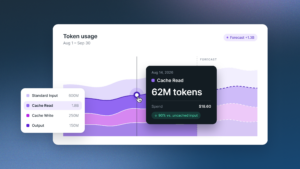
Once connected, it works the way everything else works in Kion. Spend Reports show Anthropic spend broken down by model and token type, making it easier to understand which teams, applications, and AI workloads are driving token costs. You can allocate AI spend to a Scope tied to a specific agent, team, or workload. And Anthropic token spend contributes to budgets and enforcements the same way any other cloud cost does.
Why It Matters
The conversation about AI spend governance has been building for a couple of years now, and most teams are still in “figure out what we’re spending” mode rather than “actively manage and enforce” mode. A big part of why is the data problem: AI spend is real but it’s scattered, it shows up late, and it doesn’t map cleanly into existing cost structures.
A direct integration closes most of that gap. When Anthropic spend lands in Kion natively and on time, you can actually govern it. Budget enforcements can include it. Scopes can allocate it. Spend Reports can break it down the same way you break down any other service. You stop treating AI as a separate problem and start treating it as part of the cloud financial picture it already is.
SKU Meter in Spend Reports: More Granularity Where It Counts
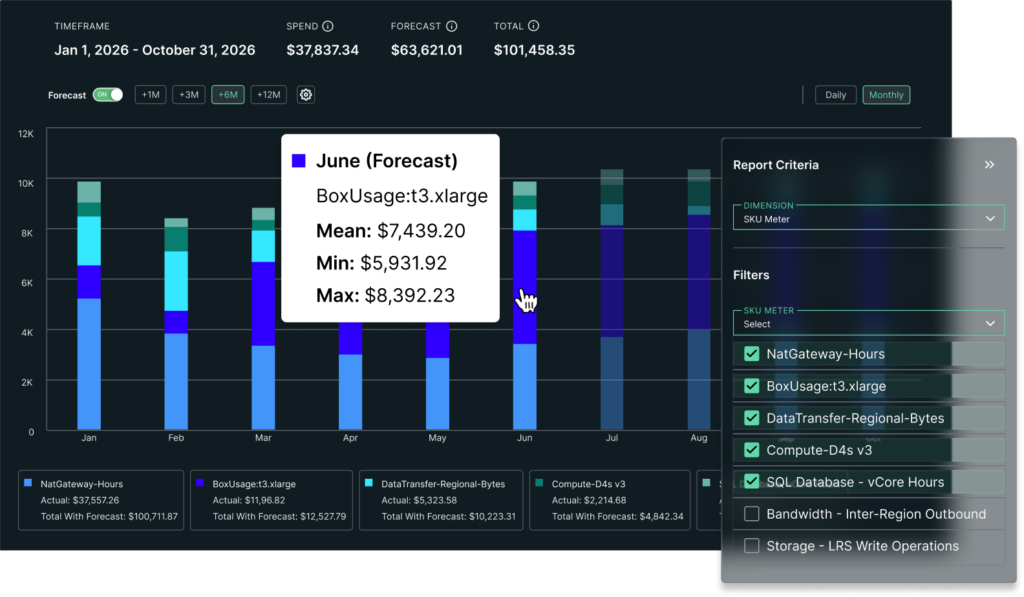
As a quick note on a FinOps reporting improvement also shipping in 3.16: SKU Meter is now available as a dimension in Spend Reports.
SKU Meter surfaces the usage-type level billing detail you need to actually reconcile a Spend Report against your cloud bill. That means AWS Usage Type, Azure Meter Name, GCP SKU Description, and OCI SKU Name, all in a single multi-cloud, FOCUS-compliant dimension. For FinOps teams responsible for chargeback, showback, or invoice validation, SKU Meter makes it easier to trace costs back to the exact usage categories that generated them. See what’s driving spend and connect it directly to your invoice, without leaving Kion.
What v3.16 Adds Up To
Automation Policies, native Anthropic integration, and deeper billing granularity don’t share a theme by accident. They’re all answers to the same underlying question teams have been asking: how do we stop managing cloud spend reactively and start operating it proactively?
Automation Policies let you define the actions and let the platform take them. The Anthropic integration brings a fast-growing category of AI spend into the governance layer you’ve already built, with better data and less lag than the converter path. SKU Meter gives you the granularity to hold your cloud bill accountable at the line-item level.
Kion v3.16 helps teams move from visibility to action by automating routine governance tasks, bringing AI token spend into existing FinOps workflows, and providing the reporting detail needed for confident financial management. If you’d like to see how these capabilities fit into your environment, request a demo or reach out to your customer success team.